
How to Migrate to Recruiterflow From Your Current ATS

Most firms stay on a broken ATS years longer than they should, because switching feels expensive.
That fear is almost always bigger than the reality.
This guide walks through everything a recruiting or executive search firm needs to know about Recruiterflow’s migration process.
- how Recruiterflow migration works,
- how long setup takes,
- what onboarding looks like,
- what integrates,
- how the platform runs day to day,
- and the results firms see once they’re live.
What Recruiterflow is, and who it’s for
Recruiterflow is an AI-native ATS and CRM built for recruiting and executive search firms. It’s purpose-built for firms, not internal HR teams or enterprise talent acquisition departments.
Recruiterflow was architected around that operating model from day one. The platform combines two layers most competitors force you to choose between:
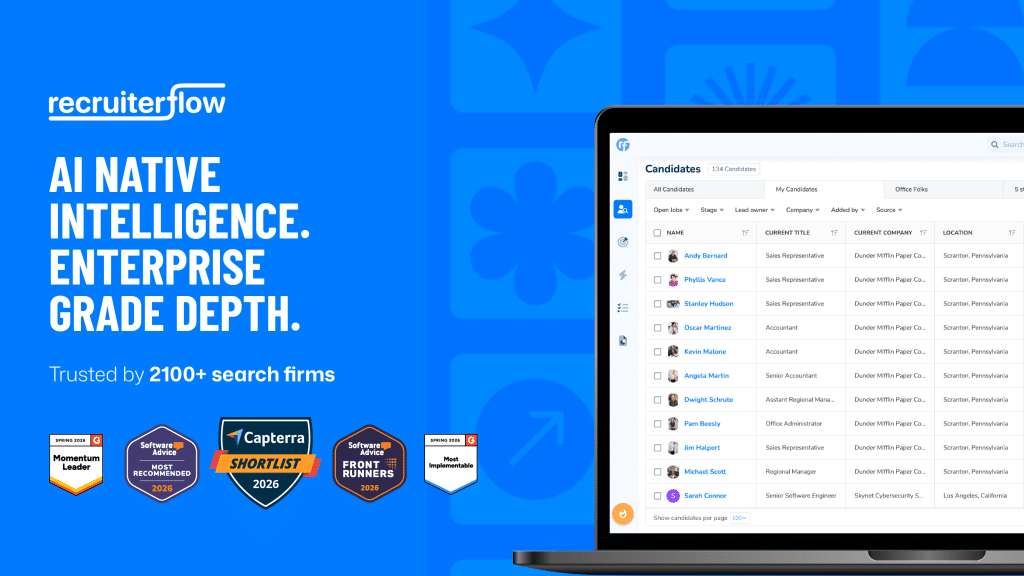
| AI-native intelligence | Enterprise-grade depth |
| AIRA Search, true natural language candidate search | Full ATS + CRM, unified |
| AIRA Source, sourcing across 850M+ profiles | Multichannel sequences (email, LinkedIn, SMS, call) |
| Ask AIRA, conversational shortlisting | Automation recipes |
| AIRA Notetaker, automated call summaries | Advanced reporting + Recruiterflow BI |
| AIRA Job Change Alerts, database movement tracking | Goals & leaderboards |
How long does setup actually take?
Recruiterflow’s migration usually takes 6 to 8 weeks, depending on complexity. In some cases, this timeline is as less as 2 weeks. That covers the complete migration, not just a login.
Core functionality is usable immediately after setup, so you can add candidates, manage pipelines, send emails, and track activity from day one, while the deeper configuration runs in parallel.
The 6-to-8-week window covers a structured, six-phase migration that Recruiterflow runs with you, so nothing gets lost between systems.
Step 1. Data hand-off
Discovery and requirement understanding (Recruiterflow and your team together), a data-backup request to your side, and Recruiterflow downloading the export.
Step 2. Data validation
Recruiterflow validates the export for completeness and structural integrity before anything is touched.
Step 3. Data extraction & transformation
Field mapping worked out jointly, then extraction and transformation handled on Recruiterflow’s side.
Step 4. First run
Migration data loaded into a sandbox, followed by Recruiterflow’s first internal validation round.
Step 5. Refinement
Your team reviews the migrated data, Recruiterflow fixes the feedback, runs a second internal validation round, and your team signs off on a final review.
Step 6. Final run
Migration data plus your latest live records loaded into the production account, then go-live.
This is where the timeline varies, and it varies by design. A five-person boutique configures differently than a 50-person staffing operation, because the platform accommodates how your firm works rather than forcing a single template on everyone.
How hard is it to switch to Recruiterflow from another ATS?
This is the question that stops most firms, so it goes first. The short answer: your existing candidate database, client records, job history, notes, and communication logs move into Recruiterflow easily.
- Supported migrations: Bullhorn, Vincere, Crelate, RecruitCRM, LOXO, Spott, Atlas or any other software in the market that you are using. If you’re on spreadsheets, don’t worry, we’ve got you covered.
- Structured data: handled cleanly via CSV import.
- Complex migrations: Recruiterflow’s team maps fields, cleans data, and validates the import directly with you.
- What moves: candidates, clients, job history, notes, and communication logs. The institutional knowledge comes across alongside the structured rows.
Migration does more than move records. It makes your existing database searchable and actionable again.
That’s the part most firms underestimate, because most large databases aren’t actually being used.
Candidates are buried, data goes stale, and recruiters default to sourcing from scratch. That’s expensive when 71% of placements come from candidates already in the CRM before the job ever opened
(Source: The Economics of Recruiting, data from 2,100+ firms).
What does onboarding support look like?
Every new account gets a dedicated onboarding specialist who walks your team through setup, configuration, and the first weeks of live usage, structured around clear milestones:
Initial setup, then data migration review, then workflow configuration, then team training, then a go-live check-in.
Beyond the specialist, firms get direct customer success access over email, chat, and Slack. Self-directed teams also get Recruiterflow Academy video walkthroughs and a full help center of documentation.
Guy Last, MD of Guy Last Recruitment, said what stood out was the team’s willingness to work with him to make the platform fit his process. His firm saw:
142% increase in job orders, 34% decrease in time to placement, and 40% increase in submittals
What integrations does Recruiterflow support?
A switch is only as clean as the tools it plugs into. Recruiterflow integrates across every category that maps to core firm workflows, and the list keeps growing, with new integrations added regularly.
| Category | Integrations |
| Job boards | Indeed, LinkedIn, ZipRecruiter, Glassdoor, Dice, Reed, Totaljobs, CV Library, CWJobs, and more |
| Sourcing & matching | HireEZ, Seekout, Sourcewhale, Juicebox, Leoforce, Pin.com, Talin.ai, SignalHire, and more |
| Communication & productivity | Gmail, Outlook, Google Workspace, Microsoft 365, Teams, Slack, Zapier |
| Phone & VoIP | Aircall, Dialpad, RingCentral, Ringover, Twilio, Zoom Phone, 3CX, KrispCall |
| Video & one-way interviewing | Hireflix, Jobma, Veton.ai, Asendia.ai, Talentlama.ai |
| Note-takers | RecView, Quil.ai, Noon.ai |
An open API covers anything beyond the standard list. The full breakdown lives on the integrations page.
What results do firms see after switching?
The pattern is consistent across firms of every size and specialism: less time lost to admin, more revenue-generating work, and a database that finally pulls its weight. A few examples show what that looks like in practice.
Revenue and job order growth
Guy Last Recruitment came off Bullhorn looking for a system that could keep pace with a growing desk.
After switching, the firm booked a 142% increase in job orders, a 34% faster time to placement, and 40% more submittals.
Andiamo tells a similar story from the AI side: by leaning on AIRA to handle notes, updates, and follow-ups, the boutique search firm grew revenue 4x and doubled submittals.
In both cases the growth came from freeing recruiters to spend their hours on clients and candidates rather than the CRM.
Recruiter productivity
Total Aviation Staffing is the clearest productivity case: automating the repetitive parts of the workflow let the team triple recruiter output without adding headcount.
Continuity Partners saw a 33% lift in recruiter productivity over the same kind of shift, and MBR Partners, another Bullhorn switcher, turned a cleaner workflow into a 75% increase in placements.
The common thread is that the admin AIRA absorbs converts directly into more time in front of people, which is where placements actually get made.
Speed to hire
Mercury Hampton, an executive search firm, cut time-to-fill from 106 days to 37 by turning a stale database into a live, searchable asset and acting on job-change signals early.
BardWood, a UK facilities firm with a 100+ team, halved its time to hire while growing usable database utilization by 75% and cutting admin costs by 40%.
When the right candidate is already in your system and easy to surface, the whole cycle compresses, and the firm stops paying to source people it already knows.
Less admin, cleaner operations
FloodGate reduced admin time by 45% by automating the manual touchpoints that used to eat recruiter days, while PAC Solutions turned that recovered capacity into 2x placements.
The Leaders Lab, an executive search firm, improved hiring efficiency by 44% and grew its search business multifold inside a year.
Different desks, same mechanism: strip out the busywork, and the team’s real capacity becomes visible.
None of these firms added headcount to get there, which is the point. The gains came from redirecting hours that already existed toward revenue.
Trusted by 2,100+ search and recruitment firms globally. Rated 4.8/5 on G2 and Capterra. SOC 2, ISO 27001, and GDPR compliant.
Frequently asked questions
Is migration hard if I’m on Bullhorn or a spreadsheet?
No. Recruiterflow supports direct migration from Bullhorn, Vincere, Crelate, RecruitCRM, and spreadsheets, with CSV imports for structured data and a dedicated team for complex moves. Notes and call logs come across too, alongside the structured rows.
How long before my team is actually working on it?
Core functionality is usable immediately after setup. Configuration timelines depend on how your firm operates rather than on technical limits, with most firms reaching full configuration in 6 to 8 weeks.
Do I need to hire someone to manage the transition?
No. Every account gets a dedicated onboarding specialist plus structured milestone calls, so the switch is guided rather than self-taught.
Will this replace my sourcing and outreach tools, or add to them?
It integrates with the job boards, sourcing platforms, and comms tools you already run, with an open API for anything outside the standard list.
Recruitment
Ayusmita is a B2B storyteller who spends her time translating recruiting workflows into clear stories at Recruiterflow.
Ayusmita