
Top 4 Recruiting Software Comparison for 2026
There is a plethora of recruitment software available in the market today that claims to streamline recruitment processes. However, It’s crucial that you carefully assess your requirements and budget before making a decision.
To assist you in this process, we’ve compiled a recruiting software comparison of four leading recruitment software solutions that are gaining traction among recruitment and search firms: Recruiterflow, Bullhorn, Loxo, and JobAdder.
What is recruitment software?
Recruitment software is an umbrella term encompassing all specialized recruitment software designed to streamline and optimize the hiring process and operations for recruitment and search firms.
To read more about different types of recruitment software, read our blog on recruitment tools.
Why Compare Recruiting Software?
As stated earlier, comparing recruitment software helps you find the best fit for your firms based on your needs, budget, and workflow.
The right software can significantly improve efficiency, reduce time-to-hire, and enhance the overall quality of hires.
Recruiting Software Comparison Table
| Feature | Recruiterflow | Bullhorn | Loxo | Job Adder |
| Capterra Rating | 4.8/5 | 4.1/5 | 4.1/5 | 4.5/5 |
| G2 Rating | 4.8/5 | 4.6/5 | 4.1/5 | 4.4/5 |
| Best for | Mid-sized and large recruitment firms | Large enterprises and staffing firms | Agencies and in-house teams | Small to medium-sized agencies and in-house teams |
| User Interface | Intuitive and user-friendly | Complex with a steeper learning curve | Moderately complex | Clean and easy to use |
| Implementation Time | Within two weeks | Lengthy setup process | Not specified | Not specified |
| Key Features | AI-powered ATS and CRM, strong automation. | Extensive end-to-end solution, numerous integrations | AI-powered sourcing, recruiting CRM | ATS, CRM, job board integration |
| Pricing | Starting at $119/user/month | Starts around $120/user/month | Starter plan at $119/user/month | Not disclosed |
| Automation | Robust across the entire recruitment process | Comprehensive automation features | Strong sourcing capabilities | Basic automation features |
| Support | Personalized for all clients | Tiered support system | Not specified | Email support, response time varies |
| AI enabled | Yes | Yes | Yes | Yes |
1. Recruiterflow
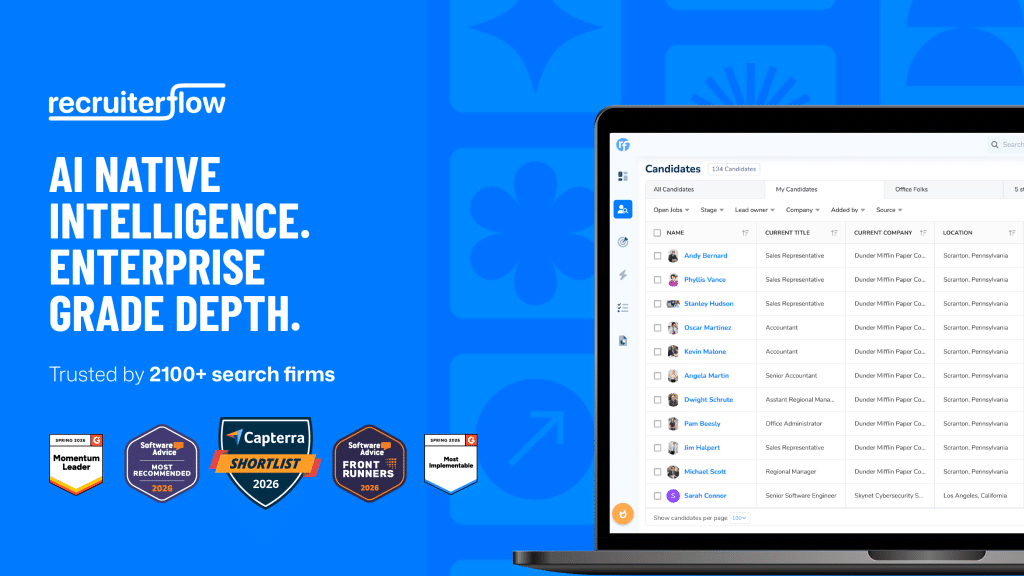
Recruiterflow is the AI-native, all-in-one ATS + CRM built for modern recruitment firms — one system to run client and candidate work, with AI embedded where the work happens.
Key Features:
- AIRA AI agents (sourcing, matching, call notes, job-change alerts)
- 1-click sourcing
- AIRA Matchmaker — AI candidate matching
- Multichannel sequences
- Customizable pipelines
- Job posting and advertising
- Hosted careers page
- Candidate portal for clients
- Resume parsing
- Interview scheduling
- Analytics and reporting
- 1,000+ powerful automations
- Pitch Candidate for seamless MPC marketing
Integrations: Open API plus a full integrations hub.
Pros:
- Intuitive interface with rapid adoption
- AI-native automation across the whole workflow
- Live within two weeks of onboarding
- Personalized support for every client
Suitable for: Mid-sized to large recruitment firms that want one easy-to-use, comprehensive system.
Pricing: Starting at $119/user/month. Free trial available.
Also, check out our blog on the Top 10 Best Enterprise Recruitment Software.
2. Bullhorn – Best for Large Enterprises and Staffing Firms
Bullhorn is an enterprise-level provider offering a comprehensive end-to-end solution for staffing and recruiting firms.
Key Features:
- Applicant tracking
- CRM
- VMS integration
- Analytics and Reporting
- Middle and back-office solutions
- Messaging platform
Integrations:
Extensive integration options
Pros:
- Robust end-to-end solution
- Extensive integrations
- Advanced reporting and analytics capabilities
Cons:
- Complex interface with a steeper learning curve
- Boolean search training is required to know how to search, build lists & find candidates & contacts.
- Longer implementation time
- Higher-tier pricing, less flexible for smaller agencies
- Customer support service isn’t very responsive.
Reviews:
Bullhorn stands out in the staffing software space with its comprehensive suite covering everything from sourcing to back-office tasks, offering modular flexibility for users to pay only for needed features like timesheet management and invoicing. Its smooth Salesforce deployment and the addition of Mployee in 2024 enhance its appeal, while features like SourceBreaker simplify talent searches and boost sales intelligence. However, the extensive features come at the cost of a clunky user experience, frequent crashes, and a lack of robust reporting for custom workflows without additional expenses, making it a mixed bag for agencies seeking seamless functionality.
Suitable for:
Large enterprises and staffing firms.
Pricing:
Starts at approximately $120/user/month with different tiers available: Team, Corporate, and Enterprise.
3. Loxo – Best for AI-Powered Sourcing
Loxo is an advanced Talent Intelligence Platform that manages the entire recruiting lifecycle in one system and is suitable for internal TA and recruitment businesses.
Key Features:
- AI-powered sourcing (Loxo Source)
- Recruiting CRM
- Candidate tracking
- Automated outreach
- Sales CRM for recruiters
- Auto-refreshing database
Integrations:
Integrations with 100+ tools
Pros:
- Strong sourcing capabilities
- AI-powered features
- Comprehensive solution from sourcing to hiring
Cons:
- Pricing for higher tiers is not readily available
- Has a steeper learning curve
Reviews:
Loxo Source can be useful for filling a placement, scaling your staffing team, or strengthening your database for future needs. It offers a 1.2B+ database. Its search tools combine AI, Boolean, and advanced filters, and it can save searches.
Suitable for:
Agencies and in-house teams of various sizes looking for advanced AI-powered sourcing.
Pricing:
Free plan available, Starter plan at $119/user/month, Professional plan pricing not specified.
4. JobAdder – Best for Small to Medium-sized Agencies
JobAdder is a cloud-based recruitment software that offers a range of features for managing the recruitment process.
Key Features:
- Applicant tracking system
- CRM functionality
- Job board integration
- Resume parsing
- Interview scheduling
Integrations:
Integrations with various job boards and productivity tools
Pros:
- Clean and easy-to-use interface
- Quick setup and implementation
- Good job board integration
Cons:
- Limited customization options
- Basic automation features
- Support response times can be slow
Reviews:
JobAdder’s flexibility with month-to-month pricing and numerous integrations for tasks like job posting, assessments, and onboarding makes it appealing for agencies using multiple recruitment tools. However, it falls short in critical areas. User management is notably weak, requiring reliance on customer support for basic admin tasks like toggling email reminders or editing timesheets. Additionally, its inability to merge duplicates, whether deals or contacts, forces users to rely on tedious workarounds. While it offers over 60 built-in reports for recruitment analytics, its lack of an all-in-one approach and these operational inefficiencies can be frustrating for users seeking a seamless experience.
Suitable for:
Small to medium-sized recruitment agencies looking for a straightforward, easy-to-use solution.
Pricing:
Not publicly disclosed.
You can also read our blog on building a recruitment tech stack to discover the tools that can supercharge your recruiting.
Conclusion
The right tech stack can be like an extra team member lifting all the admin load for you [ check out this story of YourCode, how they went from being a small team to a Leader in the Recruitment Industry], so you must choose it wisely.
The best recruitment software seamlessly integrates into your workflow and meets your needs. We encourage you to take advantage of free trials, explore demos, and weigh the pros and cons to make an informed decision.
Recruitment
Sagrika Jain is an accomplished Content Marketing Lead with over 14 years of experience specializing in the HR tech niche. She holds a Master’s degree in Mass Communication and an MBA with a specialization in Human Resources. Leveraging her deep expertise in crafting SEO-optimized and social media-friendly content, Sagrika develops insightful, strategy-driven materials that integrate effective communication techniques with cutting-edge HR practices. Her work empowers organizations to achieve their strategic goals and enhance operational effectiveness.

Sagrika Jain