
The Multichannel Outreach Playbook for Recruiters
Recruiting cold email reply rates have been declining for years. Most recruiters know it. The usual response is to tweak the subject line or rewrite the template but that’s rarely where the real problem is anymore.
This playbook breaks down a modern multichannel outreach strategy for recruiters. You’ll learn why email-only sequences are underperforming in 2026, what an effective email, LinkedIn, SMS, and call sequence looks like, how branching logic can automatically route contacts based on their actions, what to send on each channel and when, and how to run the entire system without adding headcount.
Why single-channel outreach is failing recruiters in 2026
Email isn’t broken. It’s saturated. Every candidate and hiring manager gets dozens of cold emails a week. Inboxes have gotten better at filtering them out before a human ever sees them.
The data backs this up, by channel:
| Channel | Personalized outreach | Generic/templated outreach |
|---|---|---|
| LinkedIn connection request | ~45% acceptance | ~15% acceptance |
| LinkedIn InMail (recruiting) | 18–25% reply rate | Under 5% |
| Cold email (healthy benchmark) | 5–8% reply rate | Lower, and dropping |
(Source: Recruiterflow’s LinkedIn outreach guide and candidate outreach guide)
Recruiting and staffing already lead every industry in InMail reply rate. That’s a signal, not luck. Candidates respond when the channel and the message both feel relevant.
The gap isn’t effort. It’s channel concentration. Most recruiters run one sequence, on one channel, and hope volume compensates for saturation.
There’s also a structural problem single-channel outreach can’t solve. Roughly 70% of the workforce are passive candidates. They aren’t checking email for a job change. But they might respond to a LinkedIn message tied to a real trigger: a promotion, a new role, a company acquisition.
What a multichannel sequence looks like
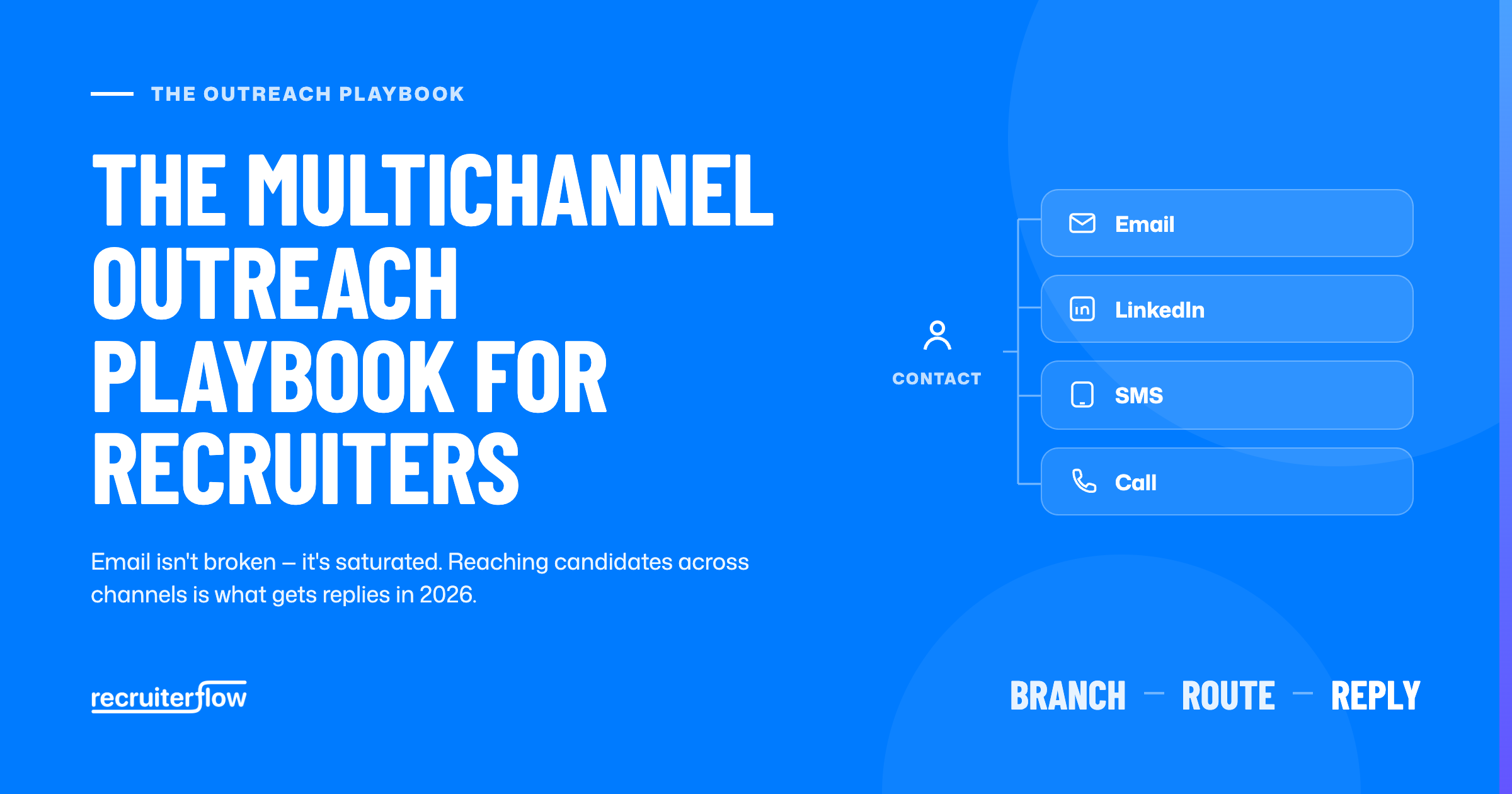
A multichannel sequence isn’t four separate campaigns running in parallel. It’s one sequence. Each contact moves through email, LinkedIn, SMS, and calls based on what actually gets a response, not on which channel is easiest to automate.
Email. Still useful for the first formal touch and for anything that needs detail: a full search brief, a role summary, links to more information.
LinkedIn. Connection requests and messages for warm, relationship-based outreach. Especially useful for passive candidates who aren’t checking a job inbox.
SMS. Short, time-sensitive nudges. Interview reminders, a quick “did you see my last message,” anything where speed matters more than length.
Calls. The highest-effort, highest-signal channel. Reserved for warm contacts or a final push after other channels haven’t landed.
Multichannel sequences generate 2.3x more responses than email-only outreach (Source: Recruiterflow’s candidate outreach guide). The lift comes from reaching people through a channel they’re actually monitoring, not from sending more messages overall.

How branching logic routes contacts automatically
The part most recruiters get stuck on isn’t picking channels. It’s deciding, for hundreds of contacts, which channel each one should get next. Doing that manually is exactly why LinkedIn steps get skipped when a recruiter runs out of time.
Branching logic makes the routing decision automatic:
- Connected on LinkedIn? The contact gets a LinkedIn message.
- Not connected? The contact gets a connection request or an email instead.
- No response after set steps? The sequence escalates to a call task, surfaced for the recruiter instead of left to memory.
Manual LinkedIn routing has a real cost. At roughly 40 seconds per manual LinkedIn message across 50 active contacts, the daily time cost adds up fast. That’s before counting the steps that never get sent because the day got busy. Branching removes the decision entirely. Every contact moves through their highest-response channel without a recruiter checking connection status first.
Sequencing cadence: what to send, and when
Cadence matters as much as channel choice. A good multichannel sequence runs over two to three weeks:
| Day | Channel | Purpose |
|---|---|---|
| Day 1 | Email or LinkedIn (based on connection) | First touch, tied to a real signal |
| Day 3–4 | LinkedIn message or connection request | Reinforce in a channel they’re actually checking |
| Day 7 | SMS (if a number is available) | Short, low-friction nudge |
| Day 10–12 | Email follow-up | Slightly more detail, a clear next step |
| Day 15+ | Call task | Highest-effort touch for contacts still worth pursuing |
Most replies come after the first touch, not on it. That’s exactly why sequences with only one or two steps underperform, regardless of channel. Recruiterflow’s guide to outreach automation covers the follow-up discipline this depends on.
Keep messaging tied to a real signal at every step: a job change, a skill match, a shared connection. Not a generic merge-tag template. Personalization is what makes the acceptance and reply rates above possible. Automation should handle the timing and routing, not replace the specificity.
Running multichannel outreach without extra headcount
Most firms trying to run true multichannel outreach end up stitching together two or three tools.
- A CRM for contacts.
- A LinkedIn automation tool like Dripify or Lemlist.
- Something separate for SMS.
That’s typically $79 to $87 per recruiter per month on top of the CRM already in place.
None of those tools share data automatically. A recruiter can end up following up on LinkedIn with someone who already replied by email.
Running email, LinkedIn, SMS, and calls natively inside the same multichannel sequences engine as the CRM avoids that fragmentation.
Replies update the contact record automatically, whichever channel they came through. One source of truth instead of three.
AIRA Outreach Agent drafts the messaging for each step of a multichannel sequence. It’s personalized from the actual candidate or client data already in the system, not a generic template with a name swapped in.
Total Aviation Staffing used this kind of automation to run 118,000+ automated messages and save 980 human-hours with a four-recruiter team, without adding headcount to manage the volume.
FAQs
Does multichannel outreach get more responses than email alone?
Yes. Multichannel sequences generate 2.3x more responses than email-only outreach. Most of the lift comes from reaching passive candidates through channels they’re actively monitoring, like LinkedIn, rather than relying on an inbox alone.
What’s the best order of channels for a recruiter outreach sequence?
Start with email or LinkedIn depending on connection status. Follow with a LinkedIn touch within a few days. Add SMS for a quick nudge around the one-week mark. Reserve calls for warm contacts or a final push later in the sequence.
How many touchpoints should a recruiting outreach sequence have?
Most effective sequences run 4 to 6 touches across two to three weeks. Sequences with only one or two steps miss most of their replies, since the majority of responses come after the first touch, not on it.
Can LinkedIn outreach be automated safely?
Connection requests and messages to already-connected contacts can be automated reliably when personalized from real candidate data, not generic templates. What shouldn’t be automated is the message content losing specificity. Automation should handle timing and routing, not replace relevance.
What tools do recruiters use for multichannel sequencing?
Most firms either stitch together a CRM with separate LinkedIn and SMS tools, or use a platform where email, LinkedIn, SMS, and calls run natively inside the same system as candidate and client records.
How much do multichannel outreach tools cost vs. running email alone?
Standalone LinkedIn automation tools typically run $79 to $87 per recruiter per month on top of an existing CRM. Running multichannel sequencing natively inside the CRM avoids that additional cost entirely.
Recruitment
Ayusmita is a B2B storyteller who spends her time translating recruiting workflows into clear stories at Recruiterflow.
Ayusmita