
Recruitment Automation in 2026: A Recruiter’s Playbook

A recruiter’s week typically goes to admin:
- Updating records
- Chasing status
- Logging notes
- Remembering who to follow up with and when
The work that pays is squeezed into the gaps left by the work that doesn’t. Recruitment automation exists to flip that ratio.
And in 2026, it does far more than it did even two years ago, because the technology underneath it changed from rules to reasoning.
This playbook covers what recruitment automation actually is now, why it’s worth doing, what to automate first, the AI agents doing the work, and the parts of recruiting you should never hand to a machine. By the end you’ll have a priority order you can act on, not just a sense that you “should automate more.”
What Recruitment Automation Actually Is in 2026
For years, recruitment automation meant rules.
If a candidate reaches this stage > send that email. If a role has been open this many days > flag it.
Useful, but rigid: every path had to be mapped in advance, and anything the rules didn’t anticipate fell back to a human.
AI agents changed the model. An agent doesn’t just follow a trigger, it reads context, decides what to do, and does it. The difference is between a system that waits to be told and one that works out the answer.
Old automation followed rules you wrote. New automation runs on agents that reason. That shift is why recruitment automation in 2026 does the thinking, not just the triggering.
A rules-based system can send a follow-up email on day three. An AI agent can read a candidate’s full history, notice they just changed jobs, understand that makes them relevant to an open role, draft a message that references it, and surface all of it to the recruiter to send. Same category of task, entirely different depth.
Why Automate: The Busywork Tax on Recruiter Time
Recruiters using AI to handle their admin commonly report around 10 hours a week returned to actual recruiting. Over a month, that’s more than a full working week per recruiter reclaimed from data entry and status chasing, and redirected to conversations and closes.
The leverage compounds when you look at where recruiting revenue actually comes from.
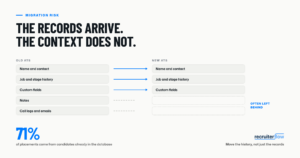
Around 71% of placements come from candidates already in the CRM before the role even opened, per Recruiterflow’s benchmark of 2,100+ firms. Automation that keeps that database current and surfaces the right person at the right moment isn’t a convenience. It’s aimed straight at the highest-converting channel a firm has.
Time saved is only half the return. The other half is what gets done with it.
What to Automate First: The Priority Order
The most common automation mistake is starting with the flashy stuff (automated outreach at scale) before the foundations are in place. Sequence it wrong and you’re just sending more messages through a leaky process. Here’s the order that actually compounds:
- Follow-up and status updates. The highest-leverage, lowest-risk automation available. Reminders, stage-change notifications, and nurture touches that fire without a recruiter remembering to send them. This alone recovers a surprising share of lost pipeline.
- CRM and data hygiene. Manual data entry is pure overhead with no upside. Agents that update records automatically from calls and emails remove that tax entirely and keep the database clean enough for everything downstream to work.
- Sourcing from your existing database. Before spending recruiter hours finding new candidates, mine what you already have. Given that most placements come from existing records, this is where automation pays back fastest.
- Outreach, last. Personalisation matters most here, so automate it only once the three foundations above are solid. Automated outreach on top of a clean, current database and a working follow-up system is powerful. On top of a mess, it just scales the mess.
Notice the logic: each step makes the next one work better. Clean data makes sourcing sharper; good sourcing makes outreach land. Skip ahead and you automate a broken process faster.
The AI Agents Doing the Work
An AI agent is automation that reasons. Where a rule executes a fixed instruction, an agent reads the situation, decides the right action, and carries it out, then hands the judgment call back to the recruiter. Mapped to real recruiting jobs, that looks like this:
| The job | What a rules-based tool did | What an AI agent does |
|---|---|---|
| Note-taking | Nothing, or a manual template | Joins the call, writes the notes, updates the record |
| Sourcing | Keyword/Boolean search you ran | Reads the role, surfaces best-fit candidates with reasoning |
| Database re-engagement | Static list you remembered to check | Flags the moment a candidate changes jobs |
| Outreach | Fixed email sequence on a timer | Coordinates channels and adapts to responses |
This is the shape of Recruiterflow’s AI-native layer, AIRA.
Its agents handle exactly these jobs: a Notetaker that captures calls and updates records, a Matchmaker that surfaces best-fit candidates from your database with the reasoning behind each match, Job Change Alerts that flag when someone moves, and multichannel sequences that coordinate email, LinkedIn, SMS, and calls in one workflow.
The measurable result: firms using Job Change Alerts cut time to first submittal by 34% and see 12% higher placements. The agents do the finding and the admin. The recruiter does the deciding.

What NOT to Automate
Here’s the part most automation guides leave out, usually because they’re selling automation. Some of recruiting should never be handed to a machine, and knowing where to stop is what separates firms that use automation well from firms that let it flatten their edge.
Keep these human:
- The relationship. A candidate deciding whether to change their life, or a client deciding whether to trust you with a critical hire, wants a person. Automation can tee up the conversation. It can’t have it.
- The judgment call on fit. AI surfaces candidates and explains why they match. Whether this person is right for this team, this manager, this moment, is a recruiter’s read.
- The negotiation and the close. The highest-stakes, highest-nuance moments in a placement. Automate the scheduling around them, never the substance of them.
- The first message that references something sensitive. A note about a redundancy, a confidential move, or a delicate situation needs a human who understands the context, not a template that approximates it.
The principle is simple enough to hold in your head: automate the admin, protect the judgment. AI should clear the path to the human moments, not pave over them.
Building an Automation Workflow at Your Firm
Automation works best rolled out deliberately, not all at once. A practical sequence:
- Audit where the hours go. Track a week of recruiter time honestly. The biggest admin drains are your first automation targets.
- Start with follow-up. Turn on automated reminders and status updates first. It’s low-risk, and the time saved buys credibility for the rest.
- Fix the data layer. Add automatic note-taking and CRM updates so records stay clean without manual effort.
- Turn on database sourcing. Let an agent surface candidates from your existing records on every new role, before anyone touches a job board.
- Layer outreach on top. Only once the foundations hold, add multichannel sequences, keeping the first high-stakes message human.
- Measure the reclaimed time, and redeploy it. The point isn’t the hours saved. It’s the conversion work those hours now go to. Track both.
Frequently Asked Questions
What is recruitment automation?
Recruitment automation uses software to handle repetitive recruiting tasks (follow-up, data entry, candidate sourcing, outreach) so recruiters spend more time on the work that makes placements. In 2026, the most capable automation runs on AI agents that read context and act, rather than fixed rules that only follow pre-set triggers.
What’s the difference between recruitment automation and an AI recruiting agent?
Traditional automation follows rules you set: if this happens, do that. An AI agent reads the situation, decides the right action, and carries it out, adapting to context a fixed rule can’t anticipate. An agent can read a candidate’s history, spot a job change, and draft a relevant message; a rule can only send a scheduled email.
What should recruiters automate first?
Follow-up and status updates first, then CRM and data hygiene, then sourcing from your existing database, and outreach last. The order matters: each step makes the next work better, and automating outreach before the data and follow-up foundations are in place just scales a broken process.
What parts of recruiting should never be automated?
The relationship, the judgment call on candidate fit, the negotiation and close, and any sensitive first message all stay human. Automation should clear the admin out of the way so recruiters have more time for exactly these moments, not attempt to replace them.
Does recruitment automation replace recruiters?
No. Automation is strongest at repetitive, high-volume tasks like sourcing, data entry, and follow-up. The parts that win placements (judgment, relationships, negotiation) remain human. Firms getting the most from automation use it to free recruiter time for that work, not to cut recruiters.
How much time does recruitment automation actually save?
Recruiters using AI to handle admin commonly report around 10 hours a week returned to recruiting. The exact figure depends on how much manual work a firm starts with, but the pattern is consistent: automating follow-up and data entry frees a substantial share of the week for billable work.
Does recruitment automation work for executive search?
Yes, with one adjustment. The foundations (database re-engagement, note-taking, data hygiene) apply fully and save exec-search consultants real time. But outreach stays personal, since a single senior relationship carries too much weight for an automated sequence. Let the agents find the moment; keep the conversation human.
Recruitment
Ayusmita is a B2B storyteller who spends her time translating recruiting workflows into clear stories at Recruiterflow.
Ayusmita