
10 Best AI-Native Recruitment Software for Search Firms in 2026

According to Recruitment Industry Analysis report, in 2024, 88% of recruiters said they were interested in AI. Fewer than 60% actually used it. Most of what got sold to them as “AI” wasn’t built to actually do the job, and that’s the real reason the gap stayed open.
That’s the split this guide is built around.
Below are 10 of the best AI-native recruitment software platforms for recruiting and search firms in 2026: what each one actually does with AI (not just claims to), who it’s genuinely built for, what it costs, and where the AI is real versus where it’s a coat of paint over 2015-era automation.
What “AI-native” actually means (and why it beats bolt-on AI for firms)
The difference shows up in specific, checkable ways.
- Does the AI need you to bring your own LLM and configure API credentials, or does it just work?
- Is candidate matching based on keyword overlap, or does it understand that “led development teams” and “team leader” mean the same thing?
- Is the AI included at every tier, or does the free plan get none of it?
Bullhorn’s AI Assistant, for instance, is a “bring your own model” setup: firms connect their own Azure OpenAI or GPT deployment and manage the credentials themselves, because the underlying platform wasn’t built with AI as part of its architecture.
Greg Savage, who’s built four recruitment businesses over five decades, has made this exact point bluntly:
“A lot of what’s sold to firms as AI right now is 1990s automation with a new label on it, and band-aiding AI onto a legacy system is one of the defining mistakes firms are making with their tech budgets this year.”
(Source: The Savage Truth).
Our deeper breakdown of what separates an AI-native ATS and CRM from a bolt-on covers the architecture difference in more detail.
How we picked
Four things, weighted equally:
- Architecture: native to the data model, or bolted on through an integration
- Fit for firms: built for candidate and client management, not just applicant tracking
- True cost: what it costs once the AI features are actually unlocked, not the entry-tier sticker price
- Real user sentiment: current G2 and Capterra ratings, not the sales demo
We verified every pricing figure, G2 rating, and Capterra rating fresh for this piece. Where a platform gates AI behind a higher tier, we flagged it in the cons.
For standalone sourcing and screening tools rather than full ATS/CRM platforms, our AI recruiting tools roundup covers that adjacent category.
The 10 best AI-native recruitment software platforms for recruiting & search firms
1. Recruiterflow
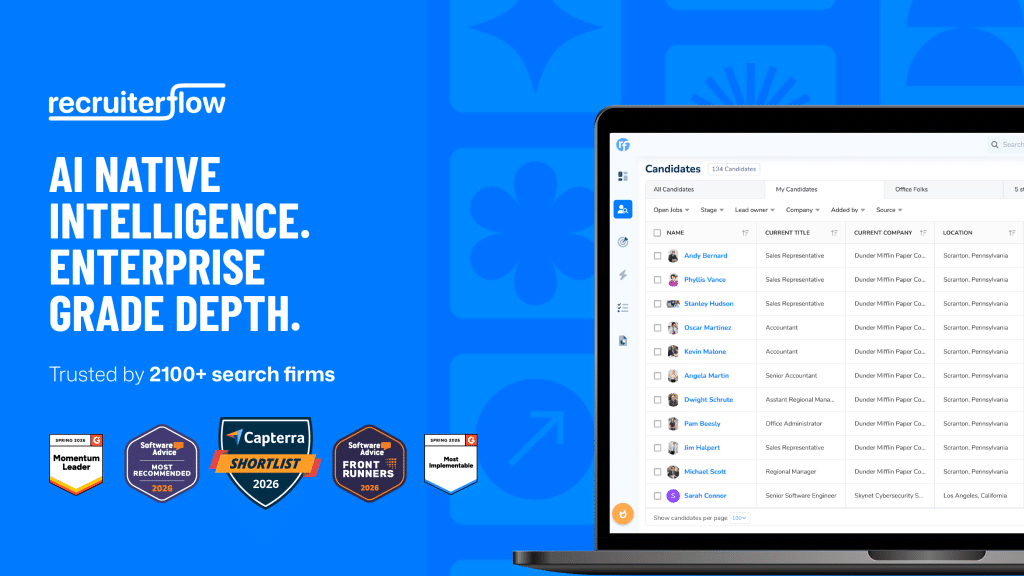
Pricing: $85–$99/user/mo (Base, Pro, Advanced; billed annually) · G2: 4.6/5 (181 reviews) · Capterra: 4.7/5 (332 reviews)
Pros:
- AIRA runs as the intelligence layer through every workflow, not a bolt-on feature
- AIRA Matchmaker checks your existing database first, where 71% of placements actually come from (Source: The Economics of Recruiting)
- AIRA Notetaker, Research Agent, Submission Agent, and Job Change Alert Agent cover call summaries, pre-outreach research, client write-ups, and buying signals
- Sequences 2.0 handles multi-channel outreach natively
- Enterprise depth (SOC 2, role-based permissions, advanced reporting) included, not gated
Cons:
- Back-office pay-and-bill for temp/contract desks leans on integrations rather than native modules
- Smaller integration ecosystem than category incumbents like Bullhorn
Best for: Retained, contingent, and executive search firms that want AI built into the data model from day one, with the enterprise depth to run it past 20+ recruiters without hitting a ceiling.
Patrick McAdams, President of Andiamo, put it this way after switching: 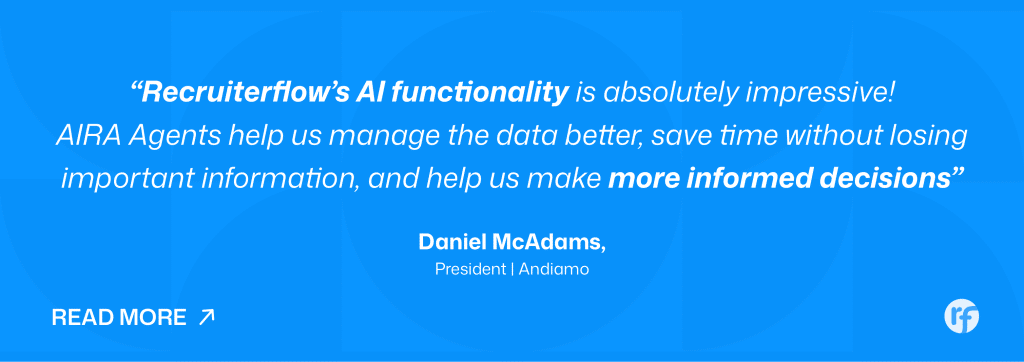
2. Bullhorn
Pricing: Not published; reported $99–$315+/user/mo depending on tier, with automation and analytics add-ons priced separately · G2: 4.2/5 (1,230 reviews) · Capterra: 4.1/5
Pros:
- Dual ATS/CRM architecture built specifically for staffing workflows
- VMS integrations unmatched for firms working enterprise clients
- Deepest back-office depth (timesheets, invoicing, pay-and-bill) of any platform on this list
- 10,000+ customers and a mature partner ecosystem
Cons:
- AI Assistant is “bring your own model”: firms configure their own Azure OpenAI or GPT deployment via API keys
- No public pricing; multiple reviewers report ~20% renewal increases and add-on costs that aren’t disclosed upfront
- Steep learning curve reported across G2 and Capterra reviews
Best for: Large, multi-client staffing operations that need VMS integration and back-office depth more than cutting-edge AI.
Considering a move off Bullhorn specifically for the AI gap or the cost structure? Our Bullhorn alternatives breakdown goes deeper on the options.
3. Loxo
Pricing: Free tier for one user; Basic $109/mo; Professional and Enterprise custom-quoted (some users report ~$169/user/mo once AI and premium data are included) · G2: 4.6/5 (65 reviews) · Capterra: 4.6/5 (126 reviews)
Pros:
- 1.2-billion-profile sourcing database built into the platform
- G2 Momentum Leader in the Talent Intelligence category
- Natural-language search reduces reliance on Boolean strings
- Consolidates ATS, CRM, and sourcing into one system for firm teams
Cons:
- Most useful AI (natural-language search, full sourcing credits, AI agents) sits behind Professional and Enterprise, not free or Basic
- Multiple reviewers flag contact data accuracy issues, particularly for senior technical roles
- Takes time to learn. It packs in a lot of features, so onboarding is slower than simpler tools
Best for: Sourcing-heavy firms that want a built-in candidate database instead of paying for LinkedIn Recruiter separately.
4. Access Vincere Evo
Pricing: Basic ~£85 (about $110)/user/mo; higher tiers custom-quoted · G2: 4.5/5 (403 reviews) · Capterra: reviews page (aggregate score not independently confirmed)
Pros:
- Evo Copilot ships standard on every plan, not as a paid add-on
- Handles candidate scoring, natural-language search, job description generation, and CV formatting
- Built specifically for recruitment firms from the ground up, not adapted from generic HR software
- LiveList client portals give real-time shortlist sharing
Cons:
- Acquired by The Access Group in 2022; several reviewers report support quality declined post-acquisition
- Product roadmap now runs on a larger conglomerate’s priorities
- Some reviewers cite a costly, hard-to-exit contract structure
Best for: Mid-market firms that want AI included by default without negotiating a separate line item for it.
5. JobAdder
Pricing: Not published; third-party estimates around $160/user/mo at mid-tier · G2: 4.4/5 (146 reviews) · Capterra: 4.5/5 (160 reviews)
Pros:
- Strong track record in Australia, New Zealand, and the UK with 200+ job board integrations
- Reported 99% CSAT across 26,000+ users
- Adder Intelligence generates candidate relevancy ratings and next-step prompts
- Clean, well-supported interface
Cons:
- AI is unavailable on the entry-level Lite plan; only unlocks from Essential up
- Reporting depth is a recurring complaint across G2 and Capterra
- International footprint outside ANZ and the UK is narrow
Best for: ANZ and UK firms whose sourcing strategy leans on job board distribution rather than AI-driven database mining.
6. Recruit CRM
Pricing: $40–$125/user/mo, annual billing · G2: 4.8/5 (113 reviews) · Capterra: reviews page (aggregate score not independently confirmed)
Pros:
- AI-Assist panel unifies resume parsing, GPT job descriptions, call transcription, and candidate matching in one place
- Holistic candidate-to-candidate matching, not just keyword overlap
- Built specifically with staffing firms in mind, not adapted from generic ATS
- 1,200+ customers, strong G2 score for the price point
Cons:
- AI usage capped at 2 million tokens/user/month
- Full candidate matching (up to 50 matches) locked to Business and Enterprise tiers
- Call transcription limited to ~1.5 hours per call
Best for: Small to mid-size firms that want real AI without enterprise pricing.
7. Crelate
Pricing: Business $119/user/mo; Business Plus and Enterprise custom-quoted · G2: 4.4/5 · Capterra: 4.5/5 (437 reviews)
Pros:
- AI Co-Pilot and agentic features handle candidate matching and pipeline updates
- Deep workflow customization: custom fields, pipelines, and automations
- Built for executive search, direct placement, and in-house talent teams
- 25,000+ professional users
Cons:
- AI Co-Pilot locked to Business Plus tier and above; entry plan gets ATS/CRM only
- Contact data enrichment is a separate paid add-on
- Several reviewers describe the interface as dated
Best for: Firms that want deep workflow customization and are prepared to pay for the AI tier separately.
8. Manatal
Pricing: $15–$59/user/mo across four tiers · G2: 4.3/5 · Capterra: 4.6/5
Pros:
- Most affordable AI-assisted ATS on this list
- AI-based candidate recommendations scan job descriptions against your existing pool
- 14-day free trial, drag-and-drop pipeline management
- Fast setup, typically hours rather than days
Cons:
- AI recommendations work best with English-language resumes only
- API access locked to the $55+/mo Enterprise Plus tier
- Not built to scale to larger staffing operations, by independent reviewers’ account
Best for: Solo recruiters or very small teams that want AI-assisted matching without enterprise cost.
9. Zoho Recruit
Pricing: Free plan for one active job; paid tiers $25–$75/user/mo annually · G2: 4.4/5 (1,843 reviews) · Capterra: 4.5/5 (1,147 reviews)
Pros:
- Zia AI handles candidate matching, resume screening, and profile summarization
- Deep native integration across the Zoho ecosystem (CRM, People, Books)
- Strong price-to-feature ratio for teams already on Zoho
- Large, well-established review base on both G2 and Capterra
Cons:
- Zia is gated to the Professional tier and above
- Reviewers note performance can lag under heavier candidate volumes
- Free tier caps at one active job with no AI or resume parsing
Best for: Firms already running Zoho CRM or Zoho People that want native integration over best-in-class AI.
10. PCRecruiter
Pricing: $85/user/mo for the core edition; custom quotes for enterprise installations · G2: 4.4/5 · Capterra: 4.3/5
Pros:
- Unmatched configurability: custom fields, layouts, and pipelines
- Over 20 years serving recruiting and staffing firms specifically
- Responsive, highly-rated customer support across reviews
- Works for solo recruiters up through Fortune 500 sourcing teams
Cons:
- AI Candidate Match is early-stage; one G2 reviewer specifically said they were looking forward to PCRecruiter “adding more AI features”
- Interface described by multiple reviewers as dated and click-heavy
- For real AI matching, you’d still need to bolt on a separate tool
Best for: Firms that prioritize deep customization over AI sophistication, or that plan to pair PCRecruiter with a separate AI matching tool.
AI-native vs. legacy ATS with AI bolted on
The pattern across nearly every platform on this list, outside of Recruiterflow, is the same shape at different price points: real ATS and CRM functionality, built years before generative AI existed, with an AI layer added afterward.
Bullhorn’s back-office depth is genuinely unmatched at enterprise scale. Loxo’s sourcing database is a real asset.
But “added afterward” shows up in specific, checkable ways:
- Bullhorn requires firms to bring and configure their own language model
- JobAdder’s AI is unavailable on its entry plan
- Crelate and Loxo both lock AI Co-Pilot and agent features to a higher, separately-priced tier
- Zoho’s AI lags under volume, by its own reviewers’ account
None of that makes those platforms bad ATS/CRM systems. It means the AI sits on top of the architecture, not inside it. Less context. More setup. A narrower slice of the workflow it actually touches.
The alternative isn’t an AI-native startup with no enterprise depth either. That trade-off is just as real, and just as common in this market.
The question worth asking in a demo isn’t “does it have AI.” It’s whether the AI already knows everything the platform knows about this candidate, or whether it’s starting from a blank prompt every time you ask it something.
How to choose the right platform for your desk
Start with what’s actually slowing your team down:
- Sourcing bottleneck? A platform with a built-in database (Loxo, or Recruiterflow’s own database-first matching) solves a real cost problem if you’re paying for LinkedIn Recruiter on top of your ATS.
- Admin and note-taking eating recruiter hours? Check specifically whether call transcription and CRM updates happen automatically, or whether “AI” here just means a better search bar.
- Not sure which stages of the workflow are AI-ready yet? Our guide to how AI reshapes recruiting breaks down what’s real today versus still mostly hype.
Before you sign anything, check three things:
- Are the AI features you’re being sold included in the plan you’re actually buying, not the one in the demo?
- Was the platform built firm-first, or does it have firm-facing features layered onto a corporate ATS?
- What do G2 and Capterra reviewers say about the AI a year into using it, not in the first 90 days?
If the honest answer is that you want AI with full context on your database and enterprise depth that doesn’t cap out as you grow past 20 or 50 recruiters, that’s the specific gap Recruiterflow was built to close.
Conclusion
Most of the AI recruitment software market in 2026 is still choosing between two compromises: real depth with AI stapled on, or real AI with no depth to run a growing firm on.
A handful of platforms here are closing that gap in genuine ways. Loxo’s sourcing AI and Recruit CRM’s embedded AI-Assist are both real, not marketing. But an AI-native ATS and CRM built for recruiting and search firms from the ground up remains the shorter list.
FAQs
What are the advantages of AI-native recruitment software?
The core advantage is context: AI built into the system of record already knows a candidate’s full history, every note, and every prior conversation, instead of guessing from fragments pulled through an integration. That means faster, more accurate matching, less manual re-entry across tools, and automation that actually understands your database rather than treating it as a black box.
How much does AI-native recruitment software cost?
Budget platforms like Manatal and Zoho Recruit’s entry tiers run $15 to $25 per user/month; mid-market options like Recruit CRM, Crelate, and PCRecruiter sit in the $85 to $130 range; enterprise platforms like Bullhorn report $99 to $315+ per user/month once add-ons are included. The catch most buyers miss: at nearly every price point, the AI features are gated to a higher tier than the base ATS/CRM price suggests.
What’s the best AI-native alternative to Bullhorn?
Recruiterflow is the most direct AI-native alternative for firms moving off Bullhorn. It replaces the ATS/CRM core while adding AI that’s built into the platform rather than requiring a self-managed language model connection. Our Bullhorn alternatives guide breaks down the full field, including options built for different firm sizes and specialties.
Does AI recruitment software actually reduce time-to-fill?
It can, but the size of the effect depends heavily on what the AI actually does. Recruiterflow’s own data shows firms using AI-driven job change alerts cut time to first submittal by 34% and saw 12% higher placement rates on average (Source: The Economics of Recruiting). Treat vendor-specific claims with some skepticism, though: Greg Savage and others in the industry have flagged that a meaningful share of “AI-powered” time-to-fill claims are based on basic automation rather than real intelligence.
How big is the AI recruitment software market in 2026?
It depends on how narrowly you define the category. Grand View Research puts the broader AI-in-HR market (sourcing, screening, people analytics, and more) at roughly $8 billion in 2025, growing to $15.24 billion by 2030. Narrowed to dedicated AI recruiting software specifically (sourcing and screening platforms only), Mordor Intelligence and Straits Research size it closer to $600 to $750 million in 2025. Most headline figures conflate the two, which is why market-size numbers in this space vary so widely.
Software and Tools
Ayusmita is a B2B storyteller who spends her time translating recruiting workflows into clear stories at Recruiterflow.

Ayusmita