
20+ Questions To Ask An ATS + CRM: The AI-Native Test
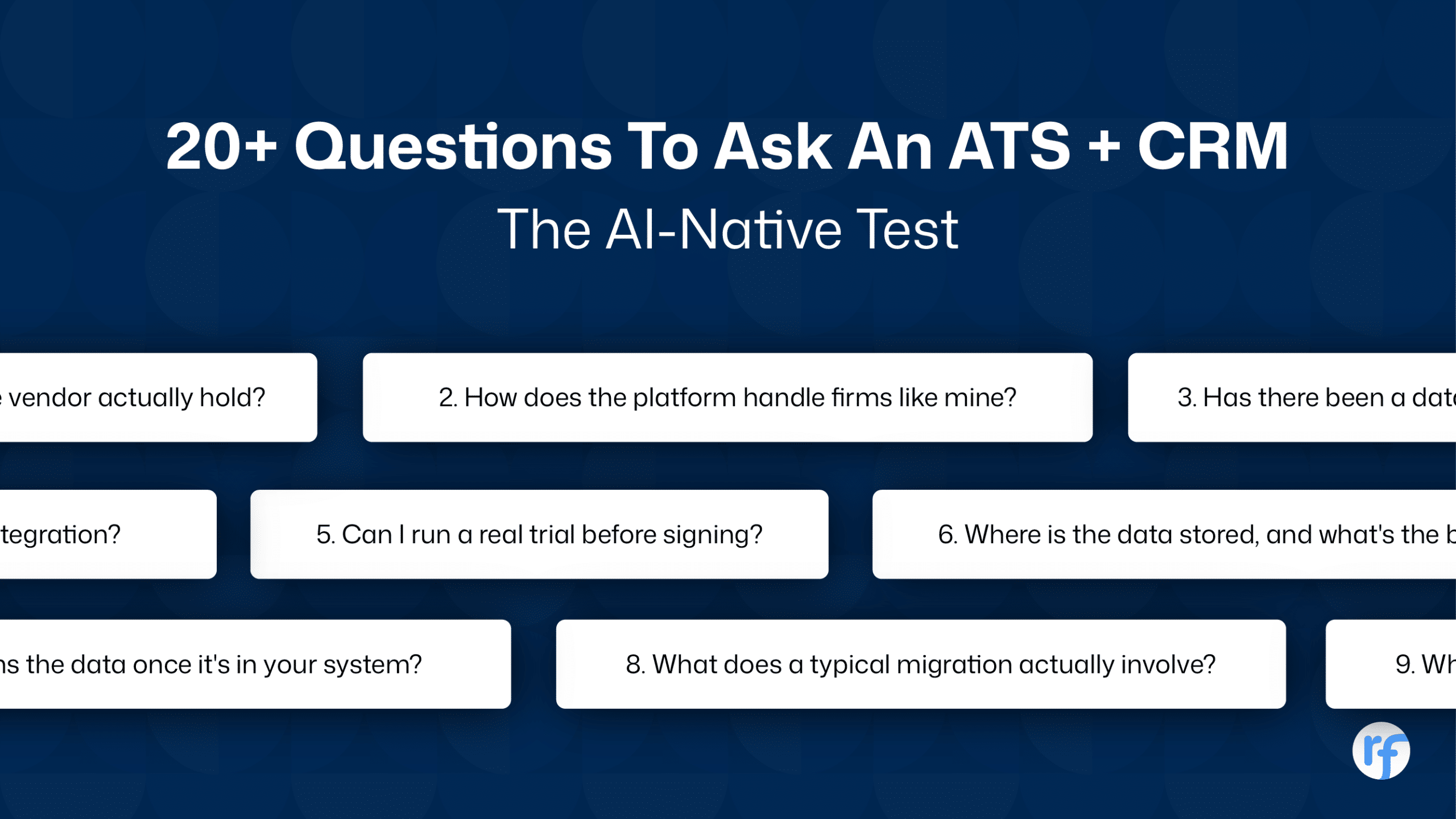
Vendors show you the polished dashboard and skip the questions that actually matter: who owns your data, what happens during migration, and what the AI is really doing under the hood.
Firms that skip these questions find out the hard way, usually months into a contract they can’t easily exit.
Here are the questions to ask your ATS or CRM before making the commit. Ready to put them through the AI-native test?
Start With Fit, Not Features
Every vendor will tell you their product does everything. The real question is whether it does what your firm specifically needs.
- How does the platform handle firms like mine?
A boutique retained search firm and a high-volume staffing shop need different things from the same category of software. Ask for a customer at your size and search type, not just a logo wall.
- Can I run a real trial before signing?
Not a sandbox with demo data. A trial with your own jobs, your own candidates, your own team. This is where clunky workflows surface.
- What does a typical migration actually involve?
Ask for a firm your size that migrated in the last year. Ask what broke.
Data Security and Ownership
Your candidate database is the most valuable asset your firm has. Treat ATS & CRM vendor questions here like you would a legal contract, because that’s effectively what they are.
- Who owns the data once it’s in your system?
The answer should be an unambiguous “you do.” If a vendor hedges, that’s a red flag worth pausing on.
- Where is the data stored, and what’s the backup policy?
Ask for backup frequency in writing, not “regularly.”
- What certifications does the vendor actually hold?
SOC 2 and GDPR compliance aren’t checkboxes. They’re evidence of process, not marketing copy.
- Has there been a data breach, and how was it handled?
Every vendor at scale has faced an incident eventually. What matters is the response, not a clean denial.
Product Depth, Not Just Product Breadth
“Does it have an ATS and a CRM?” is the wrong question. Most platforms will say yes. The right question is how deep each layer actually goes.
- What’s included versus bolted on through an integration?
A CRM that’s a separate acquisition stitched onto the ATS behaves differently than one built into the same system. Ask what breaks when the integration has a bad day.
- How customizable are pipelines and dashboards?
Drag-and-drop pipelines look identical in every demo. Ask to build one live, with your own stages.
- What does reporting actually surface?
A dashboard that shows activity (calls made, emails sent) is different from one that shows conversion (screen-to-submission rate, source-to-hire). One tells you people are busy. The other tells you if the business is healthy.
For a deeper look at where ATS and CRM functions genuinely differ, this breakdown of ATS vs CRM is worth reading before you shop.
AI and Automation: Ask What It Actually Does
Every vendor claims AI in 2026. Almost none of them explain what the AI is actually doing under the hood. This is the section most buyers under-question, and it’s the one with the biggest gap between vendors.
- Does the AI work on your existing database, or only on new sourcing?
This matters more than it sounds. Most placements come from candidates already sitting in a firm’s CRM before the role even opens, not from fresh sourcing (Source: The Economics of Recruiting). If a vendor’s AI only helps you find new people, it’s solving the smaller half of the problem.
- Can workflows run end to end, or does a human have to trigger every step?
There’s a real difference between automation that reminds a recruiter to act and an agent that drafts the submission, updates the CRM, and flags the next step on its own.
- Is there a human-in-the-loop control, or does the AI act unsupervised?
Full autonomy sounds efficient until it screens out a strong candidate for the wrong reason. Ask how much oversight you keep.
Here’s a simple way to tell the difference between a legacy answer and an AI-native one:
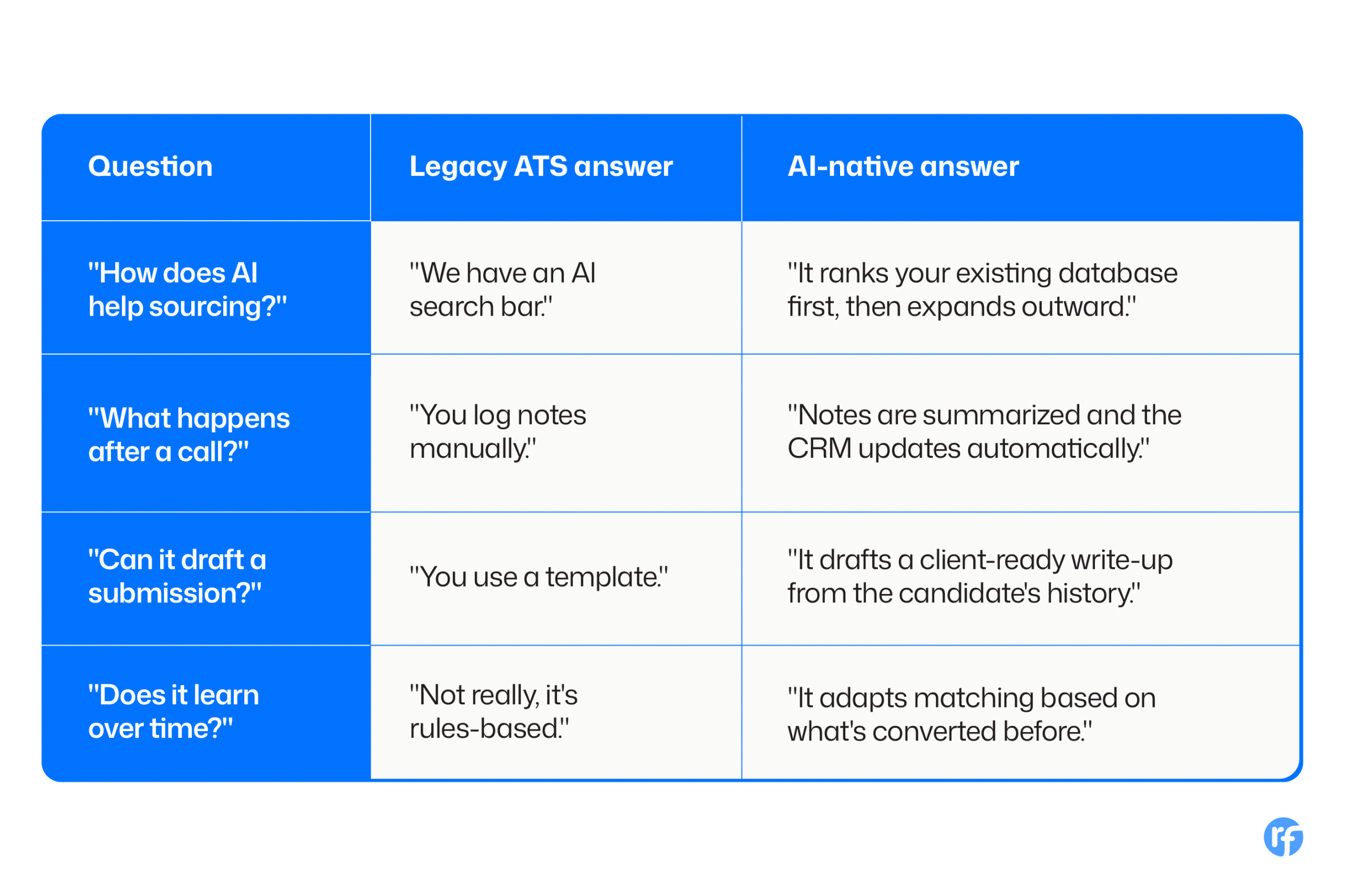
If a vendor can only answer in the left column, that’s not a dealbreaker on its own. But it tells you what you’re actually buying.
Integrations and Communication Channels
- Which channels are native, and which need a third-party tool?
Email, SMS, LinkedIn, and calls should ideally live in one system. If two of those need a separate outreach tool, that’s more logins and more places for context to get lost.
- Does it integrate with your calendar, email, and phone system?
Ask specifically whether calls log automatically or whether someone has to enter them by hand.
- Does it aggregate job boards, or do you post to each one separately?
This is a daily time cost, not a nice-to-have.
- Is there an open API, and is it documented?
If your firm ever needs a custom integration, this determines whether that’s a weekend project or a six-month one.
Implementation: What Actually Happens After You Sign
This is where most vendor relationships either earn trust or lose it fast.
- Can I see the implementation plan before signing, not after?
A vague “we’ll figure it out together” is a warning sign. A real vendor has a documented plan with milestones.
- Will migration include notes and call history, or just structured fields?
This is the question that catches firms out. Some “4-week migration” claims only move names and job titles, not the years of context in notes and activity logs. Ask explicitly.
- Do I get a dedicated point of contact, or a general support queue?
A named customer success contact who knows your setup is different from starting a new ticket every time.
Training and Ongoing Support
- How is the team trained, and how long does it take?
Live sessions, recorded modules, and a documentation portal all serve different learning styles. Ask what’s actually available, not just offered once at launch.
- What are the support SLAs in writing?
“We’re responsive” isn’t an SLA. Ask for response time commitments by ticket severity.
- What does support look like six months in, after the honeymoon period?
Some vendors are excellent during onboarding and slow afterward. Ask an existing customer, not the sales team.
Pricing and Contracts: Read Before You Sign
- What’s included in the base price, and what’s an add-on?
AI software features, advanced reporting, and extra seats are common places where the sticker price and the real price diverge.
- What’s the contract length, and what does exiting look like?
Ask about notice periods and whether your data export is free or comes with a fee attached.
- How does the cost scale as the team grows?
Per-seat pricing that works at 10 recruiters can look very different at 50. Get the math in writing before you’re the one doing it under pressure.
Technology and Architecture
- Is it cloud-based, and is the architecture multi-tenant?
This affects update speed and reliability more than most buyers realize.
- Is it mobile-friendly for recruiters working outside the office?
Worth testing live, not taking on faith.
- How often does the platform actually ship updates?
Ask for a changelog. A vendor shipping quarterly and one shipping every six weeks are building at very different speeds, and that gap compounds over years.
What a Strong Vendor Conversation Should Feel Like
None of these questions are designed to trip a vendor up. They’re designed to see past the demo and into how the product actually behaves once your data, your team, and your workflows are inside it.
A vendor with nothing to hide will welcome all of them. If a question makes a sales call uncomfortable, that discomfort is data too.
Recruitment
Ayusmita is a B2B storyteller who spends her time translating recruiting workflows into clear stories at Recruiterflow.
Ayusmita