
How to Choose Executive Search Software: A 2026 Buyer’s Guide
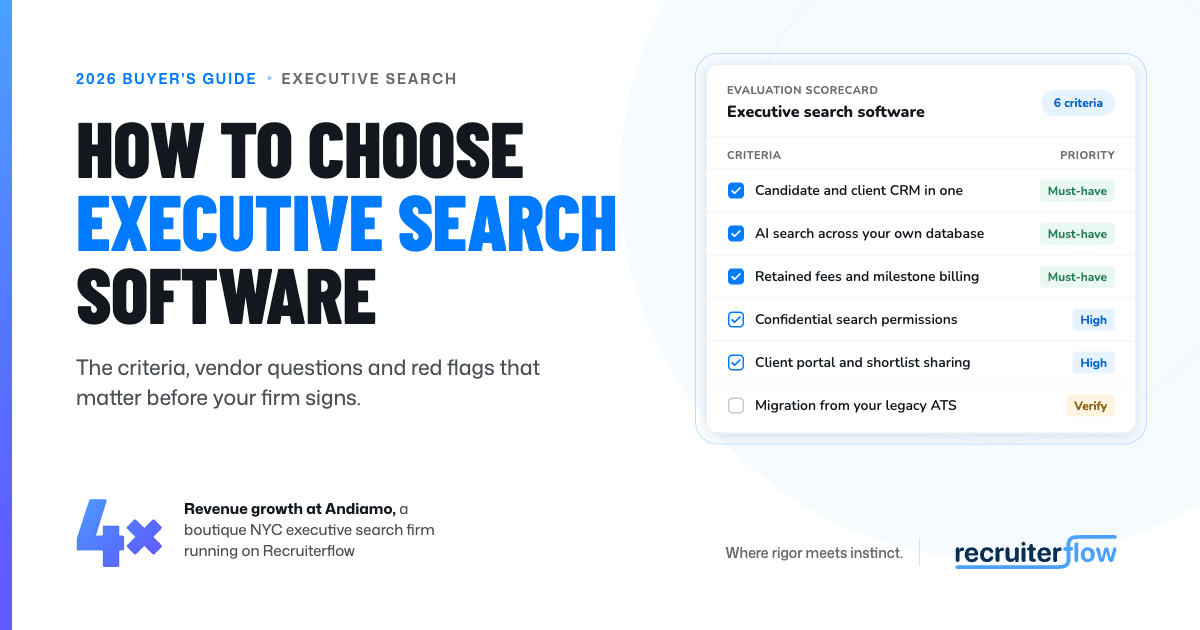
Choosing executive search software comes down to five tests: does it keep every relationship and conversation on one record, track each mandate through to the final fee, find people in your own database from a brief, flag off-limits contacts before anyone approaches them, and produce client updates without manual work? This guide shows how to run each test before you sign.
For vendor-by-vendor reviews, see our roundup of the best executive search software.
What is executive search software, and how is it different from a standard ATS?
Executive search software is a specialized CRM and ATS built specifically for retained and boutique search firms. Unlike high-volume ATS platforms that focus on job posting and applicant flow, executive search platforms are relationship- and mandate-led, focusing on long-term talent mapping, proactive sourcing, and managing complex stakeholder relationships.
What are the signs your search firm has outgrown its current setup?
You have outgrown your setup when the firm’s knowledge depends on who is in the office that day. The usual symptoms:
- Researchers rebuild each longlist in a spreadsheet, and the names never make it back into the database.
- Client updates are assembled by hand from emails and notes every week.
- Off-limits commitments live in a partner’s memory or a shared file nobody maintains.
- Consultants resource on LinkedIn for people the firm has already interviewed.
- Source calls and referral names sit in personal notebooks.
- When a partner leaves, years of relationship history leave too.
Two or more of these, and the current setup is already costing you placements.
What features should executive search software have?
Executive search has fundamentally transformed, meaning the feature checklist you used in 2025 will leave your firm behind today.
You no longer just need a basic ATS or a CRM with bolted-on generative AI. Modern executive search software must function as a single, cohesive, AI-native engine designed to strip away administrative work and accelerate high-level placements.
To run a highly effective retained search and executive mandate desk, your software should have these core features as the baseline:
Unified, Relationship-First CRM (with Continuous Data Refresh)
The executive you research today may be your client in three years. Your software must keep every relationship in a single unified record, showing when someone acts as both a candidate and a hiring manager. Because leadership talent changes roles constantly, this CRM must include built-in data refresh agents.
The system should monitor your network in the background, autonomously updating records with new titles and triggering business development alerts exactly when a former candidate becomes a hiring executive.
Custom Mandate Tracking and Off-Limits Guardrails
Partners need to see the health of every active mandate at a glance. The platform must allow you to rename stages to match your exact process (e.g., research, longlist, calibration, shortlist, client intros) and track time-in-stage.
Crucially, it must feature automated off-limits and conflict checks. Off-limits terms are part of your client agreements; the system must flag protected executives immediately and block consultants from contacting them to prevent costly breaches of trust.
Talent Intelligence & Natural Language Sourcing
Associates lose hours turning a search brief into Boolean strings. Instead, the platform must include built-in talent intelligence that autonomously reasons about candidate fit. You should be able to paste a search brief in plain English to build longlists from both your internal database and external networks.
Agentic features, like Recruiterflow’s AIRA Matchmaker and AIRA Source, instantly score candidates and provide explicit evidence for why they matched, delivering a highly qualified shortlist in minutes.
Context-Aware Multichannel Sequencing
Executive search relies heavily on sophisticated business development and passive candidate outreach. Modern software must include sequencing tools that allow you to orchestrate multi-touch campaigns across email, LinkedIn, and SMS in a single flow.
The AI should ingest context from candidate profiles to personalize outreach at scale and employ conditional branching logic that adapts instantly to how a candidate or client responds.
Client Portals Driven by AI Call Capture
Clients expect real-time progress updates without a weekly email chain, and the conversation itself is your greatest asset. Your software must feature an integrated AI note-taker that joins client intakes and candidate interviews, instantly syncing structured notes to the CRM without anyone typing.
This connected context must then feed directly into automated candidate submission drafts and populate your secure client portals, allowing clients to review shortlists while giving you the option to hide contact details.
Strict Confidentiality and Permissions
CEO successions and stealth searches require strict need-to-know access. Enterprise-grade security features, like SOC 2 compliance and the ability to restrict a highly confidential mandate to just two or three named users, are non-negotiable.
While the AI handles the heavy lifting of market mapping and data entry, the software must include guardrails designed to keep ultimate control with your consultants and protect your clients’ most sensitive data by default.
Expect these features to work as one unified workflow that genuinely multiplies your firm’s output and converts momentum into revenue.
How do you evaluate executive search software vendors?
Do not evaluate your executive search vendors on the basis of a polished demo or feature checklist. Instead, evaluate them against a real search assignment. Give each vendor the same brief and anonymized sample data, then ask your researchers and consultants to test the following:
Example: test a confidential CFO search
Ask each vendor to build a longlist for a CFO role requiring IPO experience, using the same test records. Include an off-limits candidate and another whose IPO experience is unverified. Check whether the system flags both issues, supports its AI-generated claims and produces a client-ready shortlist without revealing private notes.
Choose on demonstrated results: relevant candidates found, evidence quality, time saved and ease of use. Treat confidentiality and acceptable data-use terms as non-negotiable, and separate features available today from paid add-ons or roadmap promises.
Questions to ask your executive search software vendor
Search workflow and client delivery
- Search management: Can we manage market mapping, longlists, shortlists and placements in one system? Can we customize stages, fields and assessment templates?
- Relationship intelligence: Can we reuse research from previous assignments and see connections between candidates, clients, sources and companies?
- Client collaboration: Can clients review candidates, provide feedback and see progress through a branded portal—without accessing internal notes?
- Reporting and commercial tools: Can we track search progress, consultant activity, business-development opportunities, retainers and billing milestones? Which require separate tools?
AI, confidentiality and security
- AI quality and oversight: Can AI show the evidence behind recommendations, flag missing information, and let consultants review outputs? How do you test accuracy and potential bias?
- AI data use: Which AI providers receive our data? What do they retain, is it used to train shared models, and can we disable AI processing?
- Confidentiality and off-limits: Can we restrict access to searches and sensitive notes? Do off-limits rules warn users or block actions, and who can override them?
- Security and data protection: Do you support single sign-on, multifactor authentication, encryption and audit logs? Where is our data stored, and what independent security evidence can you provide?
Uptime, recovery and support
- Uptime commitment: What uptime does your service-level agreement guarantee, and what was actual uptime over the past 12 months? Which features and maintenance periods are excluded, and what credits apply if you miss the commitment?
- Backups and recovery: How often is data backed up? What are your recovery-time and data-loss targets, and when did you last test restoring the service?
Performance and scalability: Can you demonstrate search and reporting speeds with a database and team size comparable to ours? Are there storage, usage, or record limits? - Support and incident handling: What support hours cover our time zone? What response and resolution commitments apply to critical issues? How will you notify us about outages or security incidents?
Implementation, integrations and costs
- Migration: Will you preserve notes, attachments, relationships and search history? Can we validate a test migration and resolve duplicates before going live?
- Integrations: Which email, calendar, sourcing and accounting tools connect directly? What actually syncs, in which direction, and what costs extra?
- Usability and onboarding: Can our researchers and consultants trial everyday tasks themselves? Who handles setup and training, and can we speak with similar search firms?
- Pricing and exit: What is the total cost, including AI usage, migration, integrations and support? What are the renewal and cancellation terms, and can we export all records, notes, relationships and attachments in usable formats?
How hard is it to migrate to new executive search software?
Search firms lose the most in migration because their history is unstructured. Names, companies and titles move cleanly. Call notes, email threads, attachments and the links between people, companies and past searches are where data goes missing.
Get three answers in writing before you sign: what migrates, who maps the fields and when consultants go live. Then ask for a test import of your own data.
How much does executive search software cost?
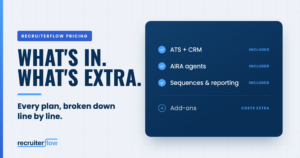
Executive search software is usually priced per user per month and billed annually. The seat price is rarely the full cost. Budget for migration, AI and outreach add-ons, integrations and ramp-up time, and compare vendors on three-year total cost.
Read plan comparisons line by line. Email campaigns, SMS, contact enrichment and advanced AI are often sold as add-ons or higher tiers, and a search firm uses them daily.
| Cost item | Typical model | What to ask |
| Licences | Per user per month, billed annually | “Is there a seat minimum? What happens to the price at renewal?” |
| Implementation | One-off fee, or included | “Who configures our search stages and fee milestones?” |
| Data migration | One-off fee, sometimes scoped by record volume | “Does the price include notes, call logs and attachments?” |
| AI features | Included, or a separate tier or add-on | “Which AI features are in the plan you quoted?” |
| Outreach and enrichment | Per-credit or per-module | “Are email, SMS, LinkedIn steps and contact data included?” |
| Integrations | Included, or paid connectors and API tiers | “Do our email, calendar and LinkedIn workflows work on this plan?” |
| Ramp-up | Internal time, sometimes paid training | “How long until a new consultant is productive?” |
| Exit | Export fees, contract lock-in | “Can we export all our data, in a usable format, at any time?” |
Where Recruiterflow fits
Recruiterflow is AI-native recruiting software for retained, contingent and executive search firms. Search firms are usually asked to choose between AI intelligence and enterprise depth. Recruiterflow refuses that trade-off.
AIRA, the intelligence layer
AIRA is the intelligence running through every workflow. AIRA Notetaker turns each call into a summary and updated fields, so the context behind every relationship stays with the firm. AIRA Search finds people in your database from a plain-English brief. AIRA Matchmaker shortlists candidates against the brief and assigns each a criteria score, and the Research Agent gathers intelligence on target people and companies before the first call. The consultant makes every judgment call. AIRA removes everything standing between that judgment and the placement.
Your database as a revenue channel
Across the 2,100+ recruiting and search firms in Recruiterflow’s Economics of Recruiting data, roughly 71% of placements came from candidates already in the firm’s database.
Job Change Alerts flag when a known contact moves.
Mercury Hampton generated £25,000 from them and cut average time-to-fill from 106 to 37 days in its first nine months.
Enterprise-grade depth
Underneath AIRA sits a unified ATS and CRM with a client portal, multichannel sequences, advanced reporting and BI, goals and leaderboards, role-based permissions, multi-brand support, and SOC 2 and GDPR compliance. Migration carries notes, call logs and context across with the structured fields. Onboarding takes 1–2 days, against an industry norm of 7–10. Continuity Partners cut training time by 80% and grew revenue 25% in six months.
A new release ships every six weeks. Neil Martin, Partner and MD at MBR Partners, which grew placements 75% on the platform, says Recruiterflow “releases updates every few weeks… no legacy headaches.”
Results at search firms
Andiamo, a boutique search firm based in New York, increased revenue 4×, doubled client submittals and cut time-to-fill by 76%.
The Leaders Lab improved hiring efficiency by 44%. Recruiterflow is rated 4.8/5 on G2 and Capterra.
Recruiterflow does not offer timesheets or VMS integration. If your firm also runs contract or temp desks that depend on them, confirm coverage before you consolidate.
Choose the system your next decade runs on
Firms gaining share capture what their consultants learn on every call and use it in the next search. Test vendors against that: your workflow, your data, a live mandate and three years of cost.
To see AIRA Matchmaker and the Research Agent build a longlist from your own data, book a demo. Still comparing? The Recruitment Software Buyer’s Guide has the vendor questions to take into each call.

FAQs
Do executive search firms need a CRM, an ATS, or both?
Both, in one system. In search, the same person is a source, a candidate, and a client contact at different points, so the CRM and the ATS need to share one record. Our ATS vs CRM guide covers the difference in depth.
What is the best executive search software?
The one that fits your search model, team size and data. Use the checklist and evaluation steps above to narrow the field, then see our roundup of the best executive search software for vendor-by-vendor reviews.
Can you use project management software for executive search?
It can track tasks and deadlines. It can’t track relationship history, search your database, enforce off-limits, or forecast fees, so firms that start there end up running a project board, a spreadsheet, and an inbox side by side.
What are the best executive search software alternatives?
There are three groups: specialist systems built only for retained search, recruiting CRM and ATS platforms that serve search firms alongside other recruiting models, and spreadsheets paired with a sales CRM. Our roundup of the best executive search software compares named tools in the first two groups.
What software do I need to run an executive search firm?
A combined CRM and ATS, email and calendar sync, research and market-mapping tools, and client reporting. Most firms add call note-taking, multichannel outreach and contact enrichment. Every separate tool is another place context goes missing, so check what the core platform covers first. Our executive search firm tech stack guide covers what to keep and what to consolidate.
What is the best executive search software for boutique firms and small teams?
In a boutique firm, partners do their own research and admin, so every minute spent logging is a minute away from clients. Look for automatic activity capture, setup measured in days and no high seat minimums, with permissions and reporting ready for when the firm grows. Our guide to boutique search firm software shows how one specialist firm set up its platform.
Is AI executive search software worth it for retained search?
Yes, when it takes admin out of the search. In retained work, AI earns its place by writing up calls, searching your own database by meaning, drafting candidate narratives for the client and flagging when known contacts change jobs. Andiamo increased revenue 4× after building AI into how its consultants work.
Software and Tools
Abhishek holds 7+ years of experience in helping companies rank for over 1,000 commercial keywords with a data-driven approach. As the SEO lead at Recruiterflow, he drives strategies that boost organic visibility and ensure competitive growth. Outside of work, Abhishek is a dedicated father of two, finding balance between his passion for SEO and family life.

Abhishek Sharma