13 min read


Eight weeks. Thirty-three features. Between the start of October and the third week of November, recruiters running their desks on Recruiterflow got close to one new feature for every working day.
Two threads run through the quarter. The first is AI that meets recruiters where they already work: inside AIRA Search, inside the job description, and inside Claude, ChatGPT and Copilot. The second is a workspace that bends to how each firm operates, down to what the product calls a job.
This post covers everything we shipped this quarter: the 33 Recruiterflow features released in Q4 2026, grouped by how each one changes a recruiter’s day, plus what’s coming next.
AIRA is the intelligence layer running through every Recruiterflow workflow. This quarter it got three upgrades that put more of the recruiter’s judgement into the work AIRA does.
Recruiters can now tell AIRA Search how to order results, not just who qualifies. Plain-English directives such as “Docker matters more than years of experience” or “minus 10 for job hopping” become a ranking, while the qualifying criteria stay untouched.
The recruiter decides what matters most for the search, and AIRA applies it across every profile. Ranking currently works on qualitative criteria from candidate profiles, with system and custom fields coming next.
AIRA JD Generator replaces the old job description tool. Give it a job title and a plain description of the role, and it writes a full, candidate-facing job description in your tone and structure.
If the job’s Skills and Experience section is still empty, AIRA fills that in too.
Recruiters can submit several candidates to a client in one motion instead of one at a time. AIRA Submission Agent moves each candidate through the stage change and drafts the email.
If a submission fails, for example because of a missing mandatory field, the activity log says which candidate failed and why.
Recruiterflow connects to Claude, ChatGPT and Copilot through MCP (Model Context Protocol). This quarter that connection went from reading a slice of your data to reading most of it, and to making changes when an admin allows it.
Five releases made that happen:
Normal Recruiterflow permissions apply throughout, so people only see through an AI assistant what they could already see in Recruiterflow. A recruiter can ask Claude which placements closed this month, then log a note on the right profile in the same conversation.
No two firms run a desk the same way, so this quarter Recruiterflow made both the layout and the language of the product adjustable.
Adaptive Workspaces replace the fixed profile page with a customizable, card-based layout. The rollout started with contacts in October, then placements and companies, and as of November it covers every record type.
New accounts get Adaptive Workspaces by default. Existing customers keep a single toggle to switch back to the previous layout if they prefer it.
Adaptive Workspaces let firms reshape how Recruiterflow looks. Data Schema lets them reshape what it’s called.
Every field is now a property, and firms can define the names of their core entities across the product. If your firm calls a job a “mandate,” a deal an “opportunity” or a company a “client,” Recruiterflow uses your words everywhere.
Admins can now decide whether Interest Links show the job description or the search brief, from Settings to Job Settings to Interest Link Settings. The choice applies across the account and takes effect immediately, even on links already sent.
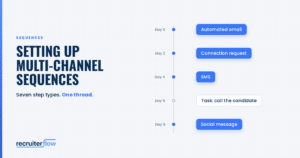
Four releases this quarter make multichannel sequences and Recipes easier to build, track and trust.
Recruiters no longer need a separate tool to send a well-designed marketing email. The new drag-and-drop builder, under Sequences ? Marketing Email step, lets you set layout, colors, buttons and fonts to match your brand, then save the design as a reusable template.
Every account starts with ready-made templates for holiday greetings, newsletters and monthly open jobs, pre-filled with the company logo, name and address.
Recipes can now log a custom activity when a candidate, pipeline, contact, deal or job event fires. That means a stage move to Client Interview can leave a clean timeline entry automatically, with no manual data entry.
Two more additions: the person who moves a candidate’s stage can now be the sender of emails and tasks in pipeline Recipes, and companies entering or leaving a segment are now Recipe triggers.
If a user sending a campaign or sequence is deleted, their recipients are now paused or stopped instead of left in limbo. Scheduled sends no longer keep firing from someone who has left the firm.
The numbers recruiters and firm owners rely on now arrive sooner and load faster.
Four releases reduce the number of tools a recruiter has to switch between, and the effort of leaving an old one behind.
Six releases give admins and the teams who build on Recruiterflow more control, with fewer support tickets.
Not every release needs a launch. These three remove small, repeated steps from a recruiter’s week.
Several Q4 releases are first steps. Ranking Directives in AIRA Search will soon rank on system and custom fields too, such as putting priority-tagged candidates first or ranking by notice period.
The quarter isn’t over, either. We’ll keep shipping through December, and every release lands in the product the week it’s ready.
Recruiterflow shipped 33 features between October and November 2026. Highlights include Ranking Directives in AIRA Search, the AIRA JD Generator, read-and-write MCP access from Claude, ChatGPT and Copilot, Adaptive Workspaces on every record, a built-in HTML email builder, Scheduled Reports and a Zoom integration.
Yes. Recruiterflow connects to Claude, ChatGPT and Copilot through MCP, giving AI assistants access to candidates, contacts, jobs, companies, deals and placements. Assistants can also add or delete notes and custom activities, and admins control whether they can make changes or stay read-only.
Yes. Scheduled Reports send any report on a recurring schedule to the recipients you choose, including people outside your Recruiterflow account.
Yes. Recruiterflow has a built-in drag-and-drop HTML email builder in the Marketing Email step of multichannel sequences. You can match your brand’s colors, buttons and fonts, and save designs as reusable templates.
Yes. Recruiterflow has migration agents for Bullhorn, Loxo, JobAdder, RecruitCRM, Vincere and Crelate. Each one moves candidates, companies, jobs and activities across automatically.
From AI that works alongside your recruitment workflows to tools that give your firm more control over how it operates, Q4 brought a lot of change to Recruiterflow.
And we’re not done yet. More improvements are already on the way as we continue building a recruitment platform that works the way your firm does.
Want to see what Recruiterflow can do for your team? Book a demo today.